One of the best ways to improve the performance of a web application is to enable caching. The most commonly used caching method stores copies of static files locally in your visitors’ browsers, significantly reducing load times, especially for consecutive pages that use the same resources. However, an obvious drawback of this approach is that new visitors to your ecommerce storefront cannot take advantage of this benefit.
Another caching mechanism is through CDNs – globally distributed servers that cache content closer to internet users to deliver it quickly and improve performance. However, only static content (such as images) that do not change often are typically cached on CDNs. Web pages have many different types of static assets, more than just images.
Webscale Dynamic Site Cache works similarly to CDNs, by caching assets on its elastic data plane. These cached resources are then delivered directly from the Webscale data plane, bypassing the origin server, with very low time-to-first-byte (TTFB). You can also configure Dynamic Site Cache to cache assets that aren’t customarily cached, such as PHP-generated pages.
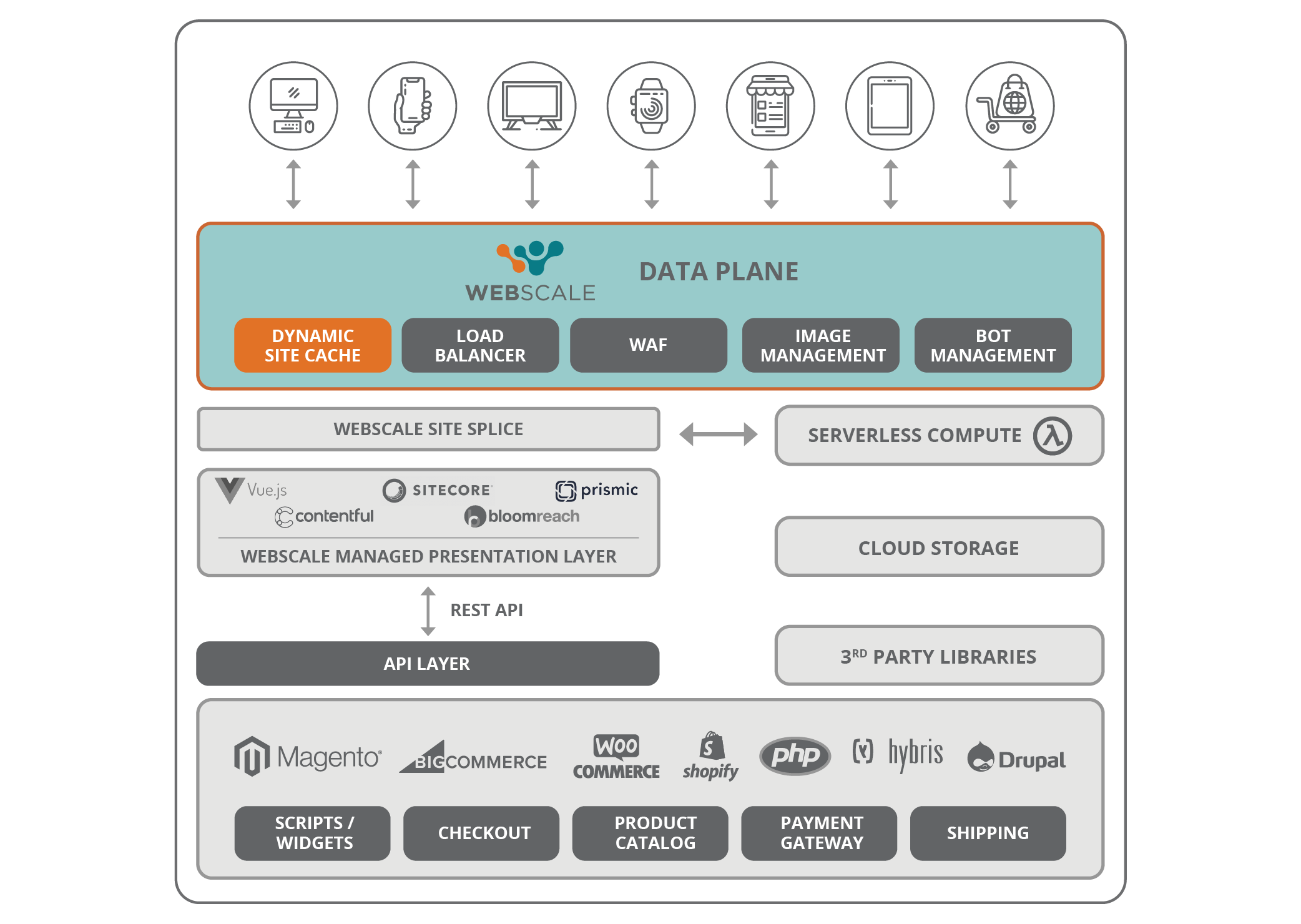
Dynamic Site Cache is especially useful to serve non-personalized content through visits by anonymous or non-logged-in users and bot requests (google bot, etc.). Pages that change often or adapt to user interaction, such as checkouts, should not be cached. Additionally, due to the network proximity and architectural integration of the Webscale data plane with the application, it is easy to automatically invalidate any content cached in Dynamic Site Cache when it changes in the backend.
Dynamic Site Cache has opened up the potential of caching almost anything, forever, till it actually changes in the backend and then is instantaneously invalidated. All of this makes Dynamic Site Cache more powerful and complementary to edge caching by CDNs, and more importantly, it significantly improves performance.
Specifying what pages or resources should be cached is done by creating simple rules in your Webscale control panel. Rules should be configured so that only content that can be served to any user of your site is cached. It’s important to note that cookies are automatically removed from responses delivered from the cache – this is also important to remember when configuring your rules.
Everyone knows that a fast loading website is a must for any site, but this is even more true for ecommerce storefronts. Configuring Webscale Dynamic Site Cache for your application helps ensure that your visitors get the blazingly fast performance they expect, as well as helping your site’s SEO.